RFIDora / Self-Checkout

RFID self-checkout

No barcodes to hunt for. Pay in seconds.

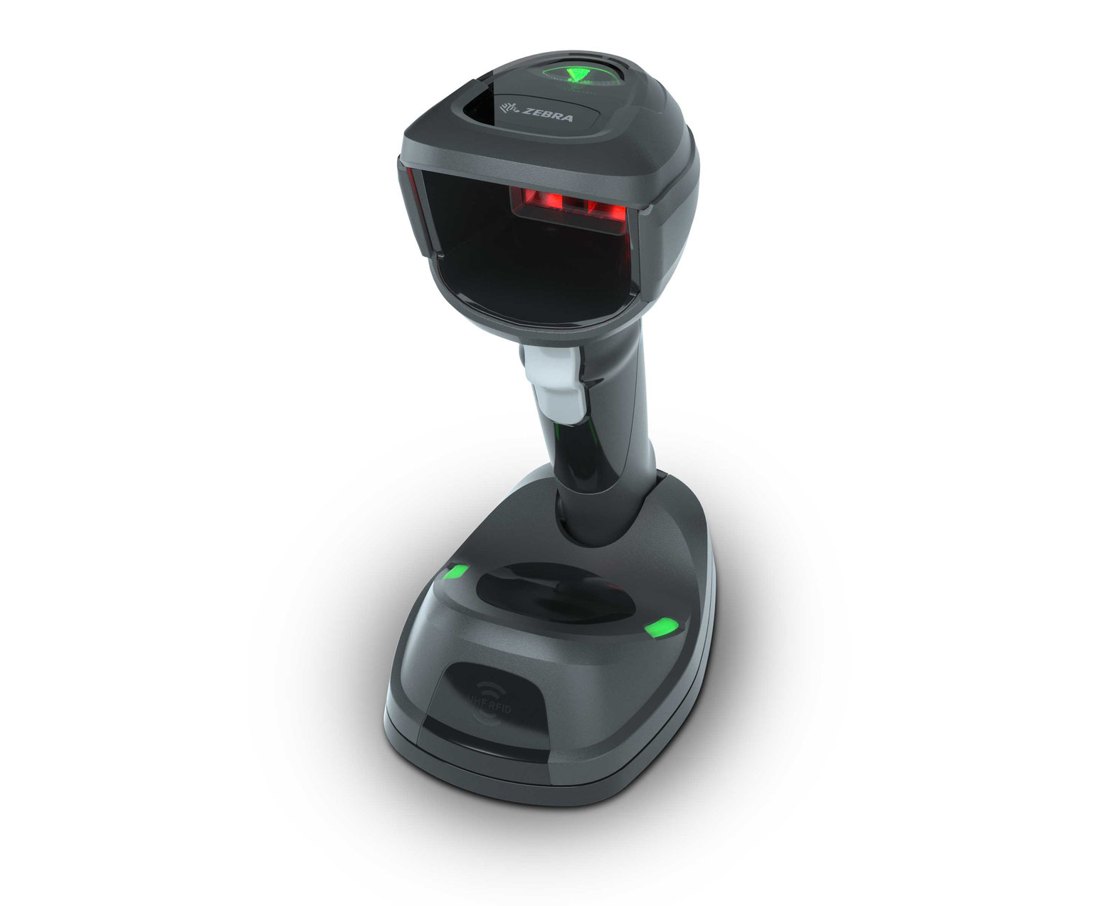
RFIDora Self-Checkout runs on SUNMI K2 kiosks. Start with the Zebra DS9908R, which reads RFID tags and barcodes, or go advanced with an RFID tray that reads the whole basket the moment it's put down.

Built with Chainway&ZebraRFID readers SUNMIkiosks Square·ShopifyPOS
Watch a checkout

From the tray to the door in 10 seconds

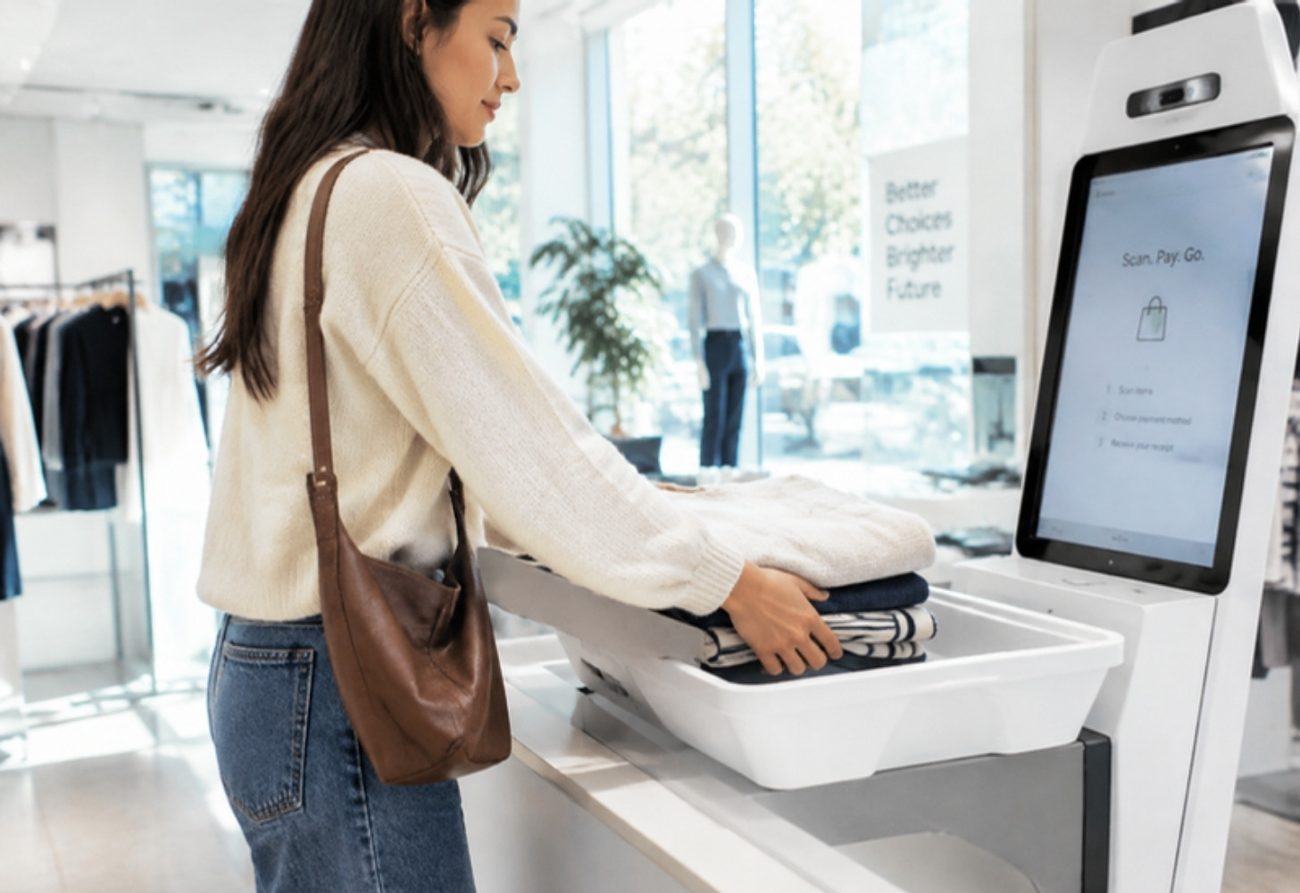
A shopper sets her bag in the RFID tray. All 52 items are read at once, she pays with Apple Pay, and the exit check confirms every item was sold.

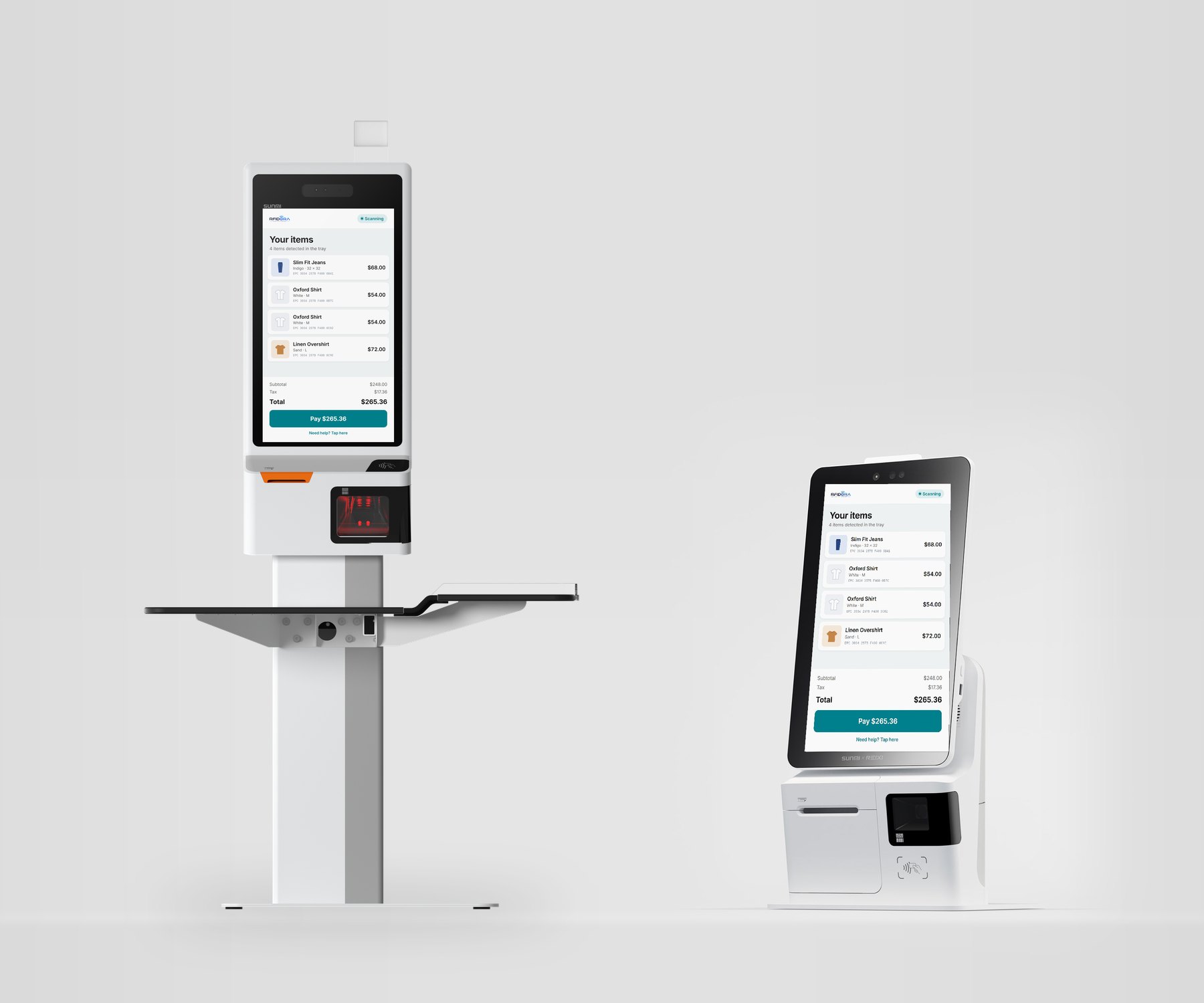
SUNMI K2 floor-standing kiosk with split tray and SUNMI K2 Mini countertop kiosk, both showing the RFIDora clothing checkout screen
SUNMI K2Floor-standing · 23.8"
SUNMI K2 MiniCountertop · 15.6"
The kiosks

Shoppers bring their clothes. The kiosk does the rest.

No barcodes to find. Shoppers hold items to the Zebra DS9908R or set the whole pile on the RFID tray, check the list on the SUNMI screen, and pay.

Choose your kiosk

Two SUNMI kiosks, the same RFIDora checkout

Pick the floor-standing K2 for a full checkout lane, or the K2 Mini where counter space is tight. Both run the same software and connect to the same POS.

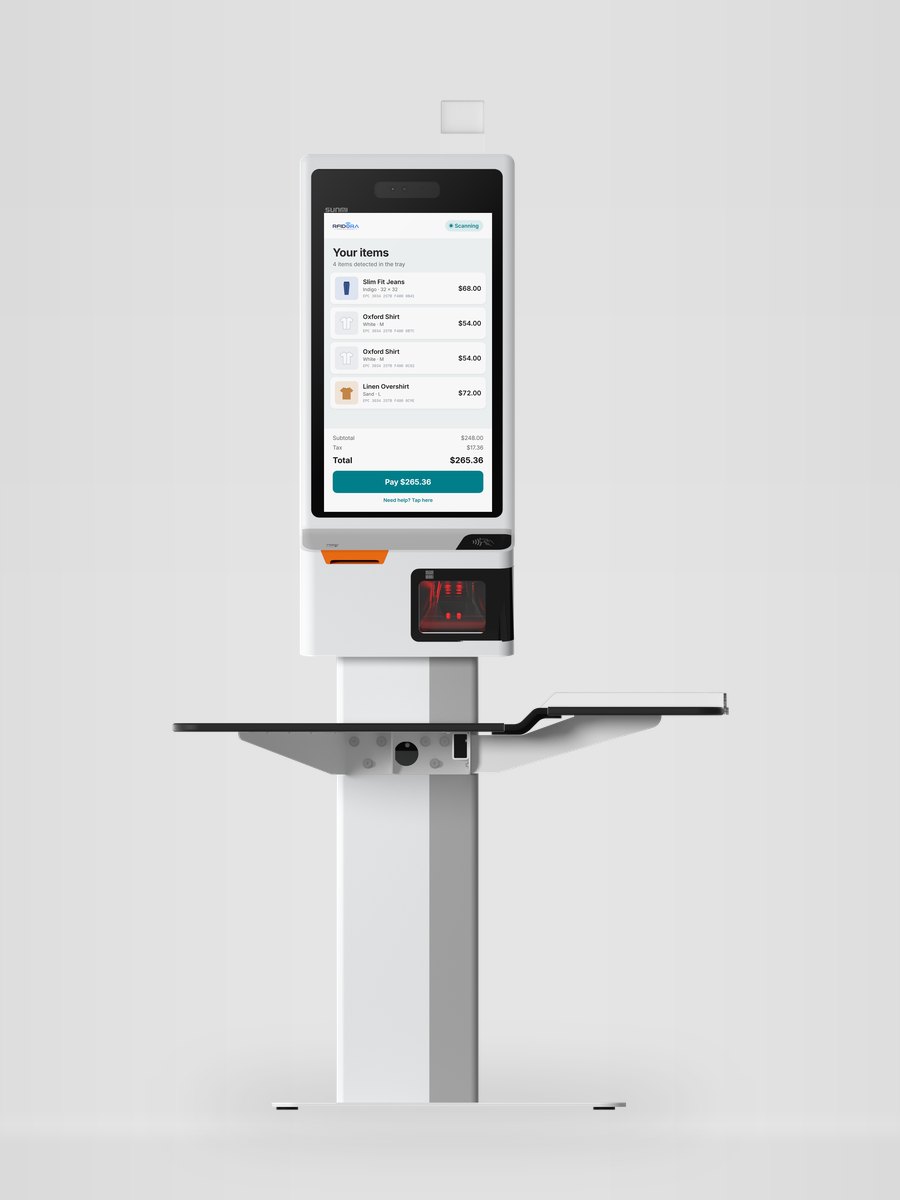
SUNMI K2 floor-standing kiosk with split tray and RFIDora checkout screen
Floor-standing

SUNMI K2

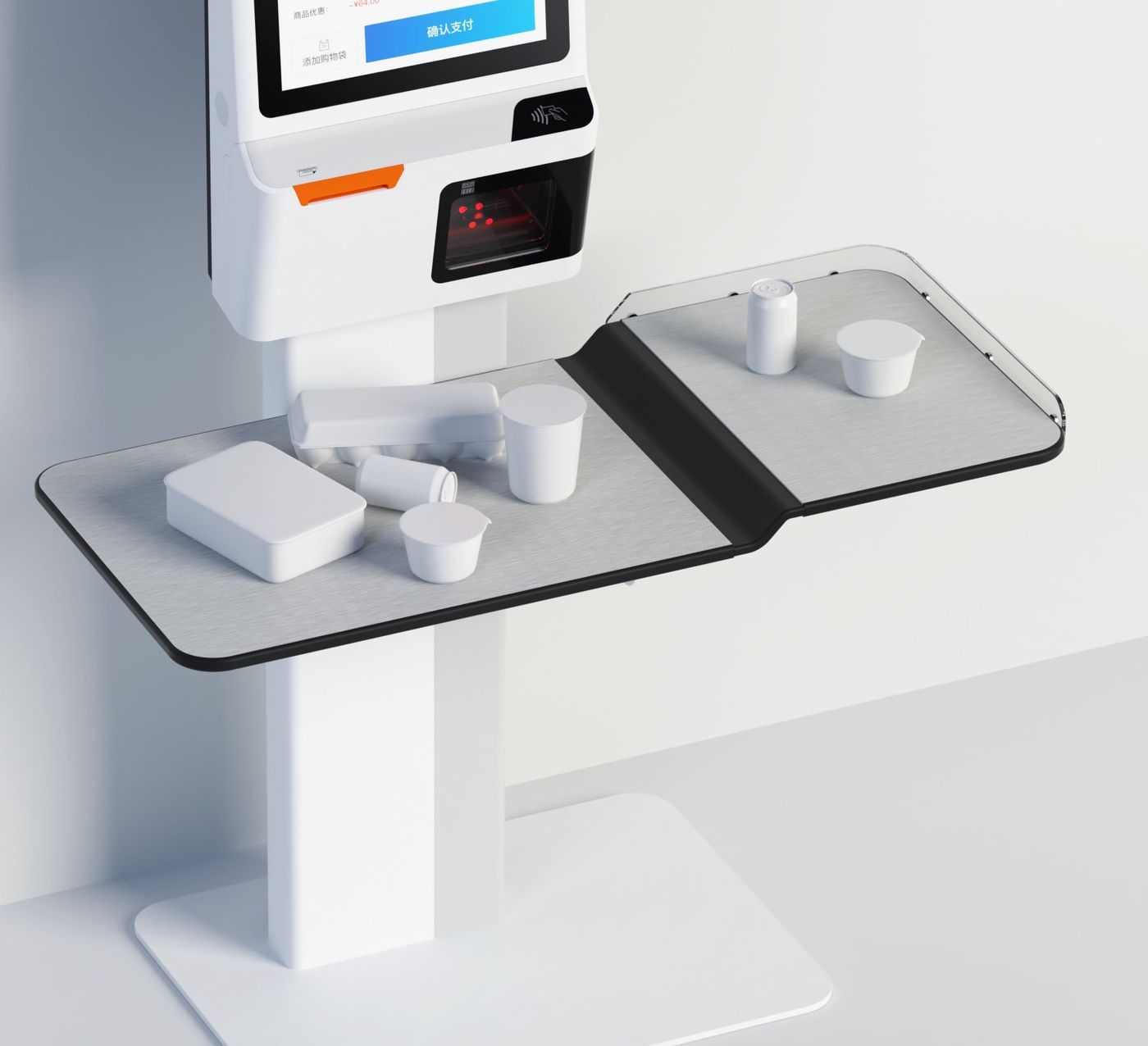
A full self-checkout lane with a large screen and a split tray for unloading and bagging.

  • Screen23.8" FHD touch
  • ProcessorOcta-core, 2.7 GHz
  • Printer80 mm, auto cutter
  • PaymentsNFC + card terminal
  • Size with tray1018 × 645 × 1850 mm
  • RFIDZebra DS9908R or RFID tray

Best for: apparel stores with full baskets and busy weekends.
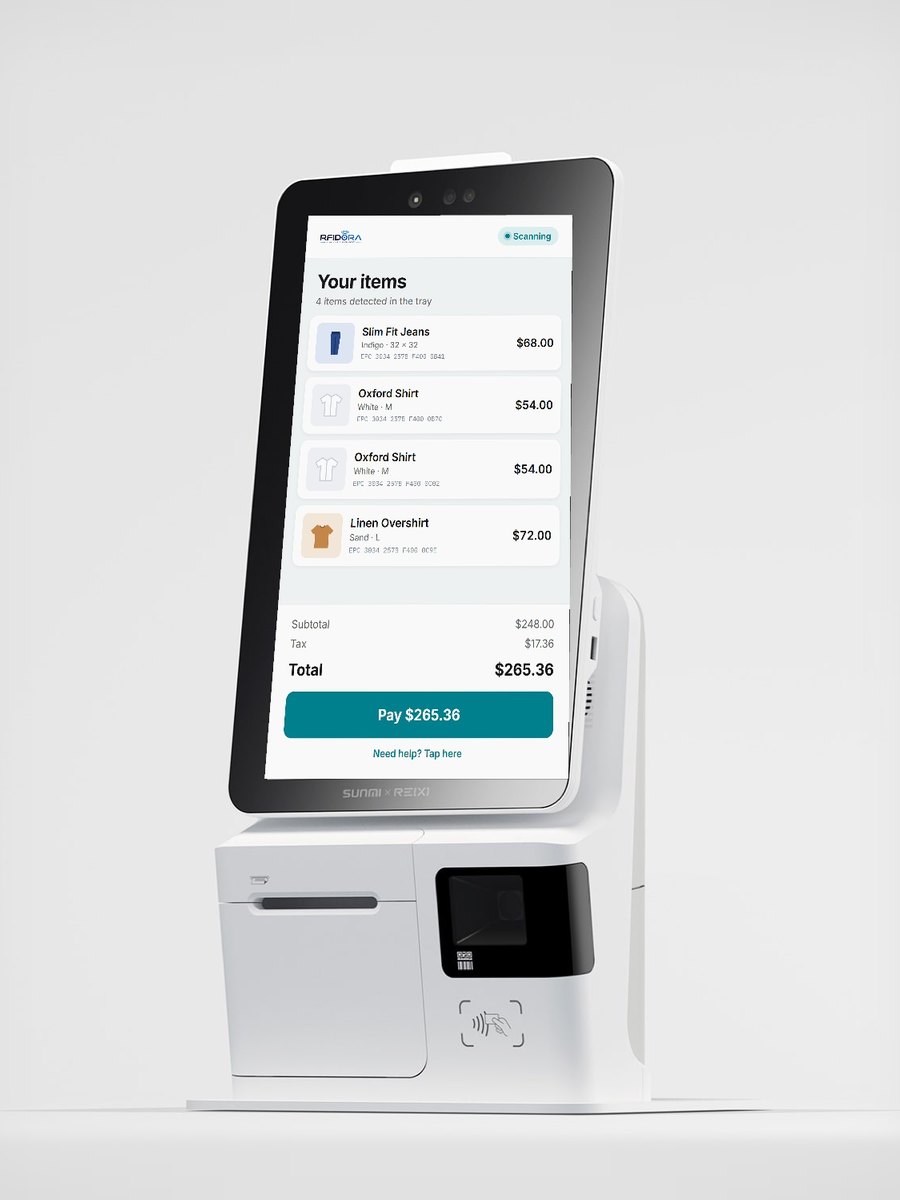
SUNMI K2 Mini countertop kiosk with RFIDora checkout screen
Countertop · Wall

SUNMI K2 Mini

A compact kiosk that sits on a counter or mounts on a wall, with an RFID pad next to it.

  • Screen15.6" vertical touch
  • Weight10 kg
  • Printer58 / 80 mm Seiko
  • PaymentsCard, NFC and QR
  • SetupNo assembly needed
  • RFIDZebra DS9908R or RFID pad

Best for: boutiques, pop-ups and small-footprint stores.

Two ways to read

Choose how shoppers add their items

Every kiosk works with either option, and you can start with the scanner and add the RFID tray later.

Zebra DS9908R hands-free barcode and RFID scanner Zebra
Standard

Zebra DS9908R scanner

A hands-free scanner next to the screen. Shoppers hold each item close to it, and it reads the RFID tag. If an item has only a barcode, the same scanner reads that too.

  • ReadsUHF RFID tags + 1D/2D barcodes
  • RFID rangeUp to about 18 in (45 cm)
  • TagsEPC Gen2 and Gen2 V2
  • ConnectionCorded USB to the kiosk
  • Best forBoutiques and smaller baskets

Specs from Zebra's DS9908R product page and spec sheet.

Advanced

RFID tray with antenna

Shoppers put everything on the tray at once. An antenna under the tray reads every tag in the pile, so there's nothing to hold up or scan one item at a time.

  • ReadsThe whole basket at once
  • ReaderChainway or Zebra UHF reader
  • Read zoneShielded tray walls
  • BarcodesKiosk scanner as backup
  • Best forFull baskets and busy stores
See how the tray works →
How it works

From basket to receipt in three steps

  1. Shopper placing folded clothes into a self-checkout tray

    Scan or drop the items

    Hold each item near the Zebra DS9908R, or with the RFID tray, put the whole pile down at once. A tag read twice still counts as one item.

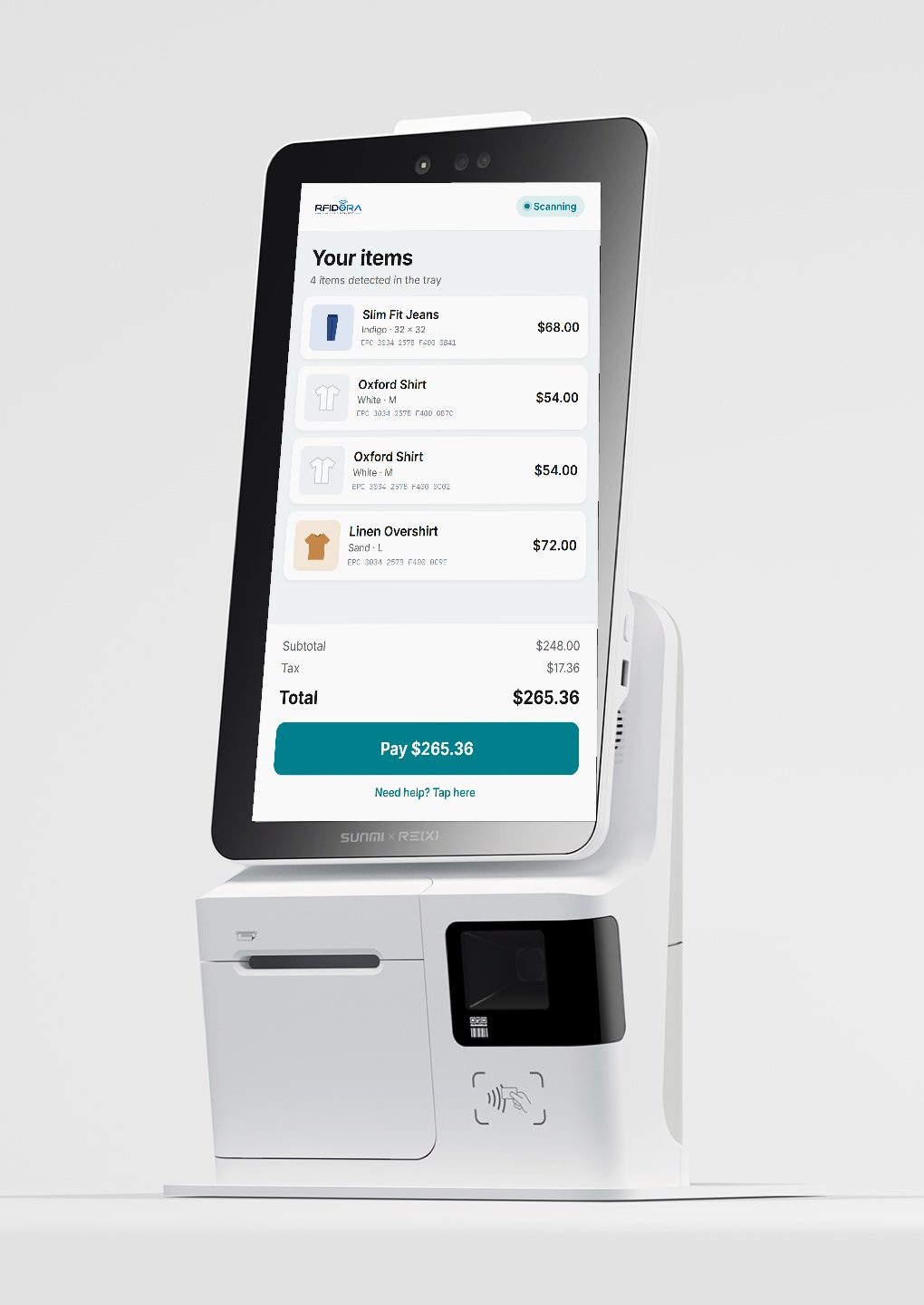
  2. RFIDora checkout screen listing jeans, two shirts and an overshirt

    Check the list

    Each tag appears with its size and color. Two identical shirts show as two lines. A damaged tag can be added by barcode.

  3. SUNMI K2 split tray for unloading and bagging

    Pay, bag and go

    Shoppers tap a card, take a receipt and bag on the second half of the tray. The sale and stock update in your POS.

Advanced option · Inside the tray

How the RFID tray reads a whole basket

The checkout tray is the reader. An antenna under its surface reads every tag placed on it, and shielded walls keep nearby racks and other shoppers' items out of the count.

RFID checkout tray cross-section Clothing with RFID tags sits on the tray. A UHF antenna under the tray powers the tags, shielded walls contain the read zone, and a UHF reader sends the tag codes to the kiosk over USB. EPC …5021EPC …7AB3 UHF RFID reader Chainway or Zebra USB SUNMI kiosk 1 2 3 4 UHF RFID · 902–928 MHz (US)
  1. Antenna under the tray

    A flat UHF antenna sits below the tray surface and powers every tag placed above it, even in folded or stacked clothes.

  2. Shielded read zone

    Metal-lined walls keep the radio field inside the tray, so the rack next to the kiosk and the next shopper's basket are not counted.

  3. Every tag answers

    Each tag replies with its own code (EPC). The reader collects all of them together, so two identical shirts show up as two items.

  4. Reader to kiosk over USB

    The Chainway or Zebra reader sends the codes to the SUNMI kiosk, and RFIDora matches each one to a product, size and price.

EPC E280 6894 0000 5021 UHF RFID · 902–928 MHz
READ E280 6894 0000 5021 · ANT 2 · −48 dBm
READ E280 6894 0000 7AB3 · ANT 1 · −51 dBm
Why RFID

Every item carries its own tag

The same UHF tags you use for RFIDora inventory counts work at checkout. No new labels and no second system.

No line of sight needed

Folded jeans, stacked shirts and items in a bag are read in one pass.

Counts real items

Two of the same shirt have two different tags, so both are charged.

Stock stays accurate

Each sale removes that exact tag from inventory, so your counts and your kiosk agree.

Screensaver example: denim and shirts on a boutique wallNew arrivals
Screensaver example: brand video of a surfboard by the oceanYour brand video
Screensaver example: seasonal display with a mannequin and folded knitsSeasonal sale
Customization

Made for your store, not a template

Every kiosk is set up around your brand and the way your store works.

Your screensaver: images and video

Your own photos and videos play on the screen while the kiosk is idle: new arrivals, seasonal sales, events or brand films.

Built around your requirements

Tell us what your store needs, such as your logo and colors, receipt text, languages or staff rules, and we set up the checkout to match.

Integrations and add-ons

We connect RFIDora to the systems you already use and build special add-ons to the software when your business needs something extra.

One tag, every step

From the stockroom to the checkout

Software

Ready for a busy store floor

Barcode fallback

If a tag is damaged, the kiosk's scanner adds the item to the same basket.

Staff-approved returns

Receipt check and staff sign-off at the kiosk. Items go back into stock.

Help button

Calls a staff member and keeps the shopper's basket open.

Protected settings

Staff tools sit behind a password, hidden from shoppers.

Automatic reset

An idle checkout warns the shopper, then clears for the next one.

Fast batch lookup

A full tray of tags is matched to your catalog in one request.

Works with

Point of sale and RFID hardware

LiveSquare
LiveShopify
LiveZebra
LiveChainway
SoonClover
SoonLightspeed
SoonWooCommerce
Showroom demo

See it live in our Miami Beach showroom.

Try both options on the SUNMI K2 and K2 Mini: scan tagged clothing with the Zebra DS9908R, then drop a full basket on the RFID tray. Demos are by appointment.

  • Phone: 786-796-3930
  • Smart Tech Miami showroom · Miami Beach, Florida